


Forms
Forms are Foveate's way to collect structured input from clients and stakeholders — intake questionnaires, feedback surveys, and requests. They attach to a project so responses stay tied to the right engagement.
Creating a form
Start a form two ways:
- Describe it in the AI Chat composer ("build an intake form for new hotel projects") and let Foveate draft the questions.
- Use the New button and pick the form format, then add questions yourself.
Question types
Build a form from a mix of question types — short text, long text, multiple choice, and more — to capture exactly the input you need. Add, reorder, and remove questions, and mark the ones that are required.
Theming
Apply a theme to control the form's colors and fonts so it matches your brand when a client fills it out.
Sharing a form
Publish a share link to send the form to respondents. The link opens a clean, viewer-facing version — just the questions, no editing tools. See Sharing & feedback for access controls and tracking.
Reading responses
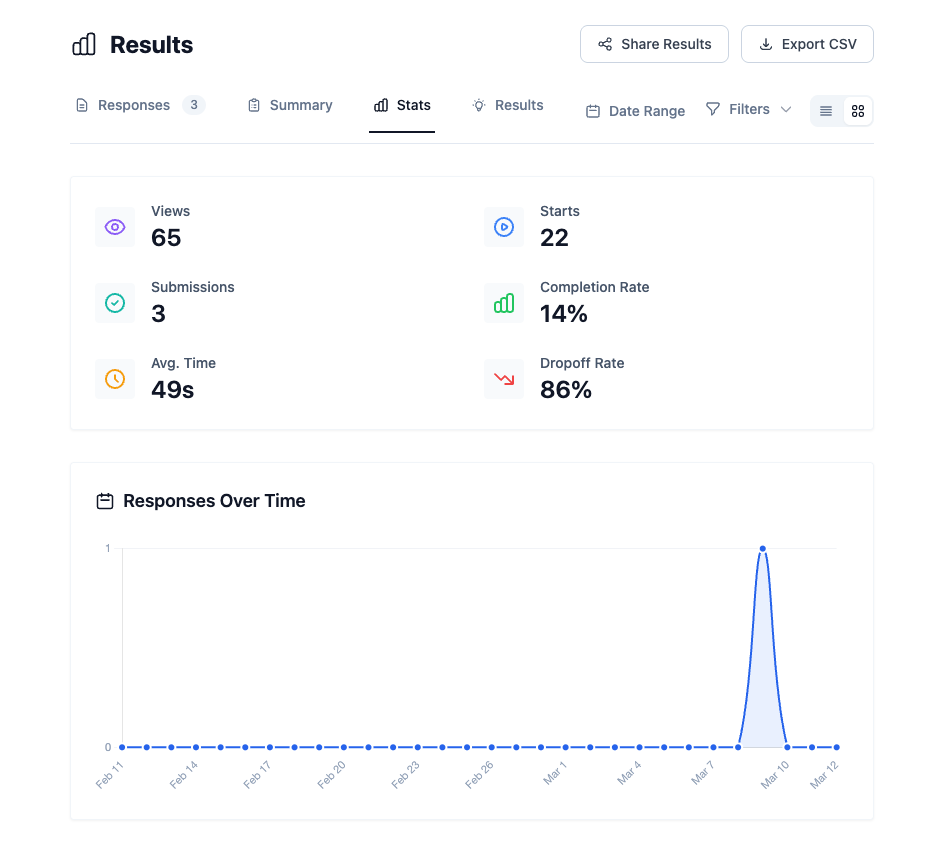
Open a form's results to see every submission. Review responses individually or in aggregate to spot patterns across everyone who replied, then follow up from there. Analytics on how the form is performing roll up into Insights.
Credits
Using the AI to draft a form or generate questions consumes AI credits. Collecting and reading responses does not. See Credits & billing for details.
Frequently asked questions
What is a client intake form for an architecture or design firm?
A client intake form is a questionnaire a firm sends at the start of a relationship to capture a prospective client's goals, program, budget, timeline, and decision-makers. In Foveate, an intake form is shared as a link, and its responses stay attached to the client's project; on foveate.com, client intake forms also feed the Client Profiler.
Can AI write the questions for a client intake form?
Yes. Describe the form in AI Chat — for example, "build an intake form for new hotel projects" — and Foveate drafts the questions for you to edit. Drafting with AI uses credits; collecting and reading responses does not.
Do respondents need a Foveate account to fill out a form?
No. A shared Foveate form opens as a clean web page with just the questions, so clients and stakeholders can respond from their browser without an account.
Where do I see form responses?
Open the form's results to review every submission individually or in aggregate. How the form is performing also rolls up into Insights.